How to Price Vinyl Decals Without Pricing by the Square Foot
Vinyl is the cheapest thing in a decal. Weeding time is the most expensive, and it does not scale with size, which is why square-foot pricing undercharges small decals.
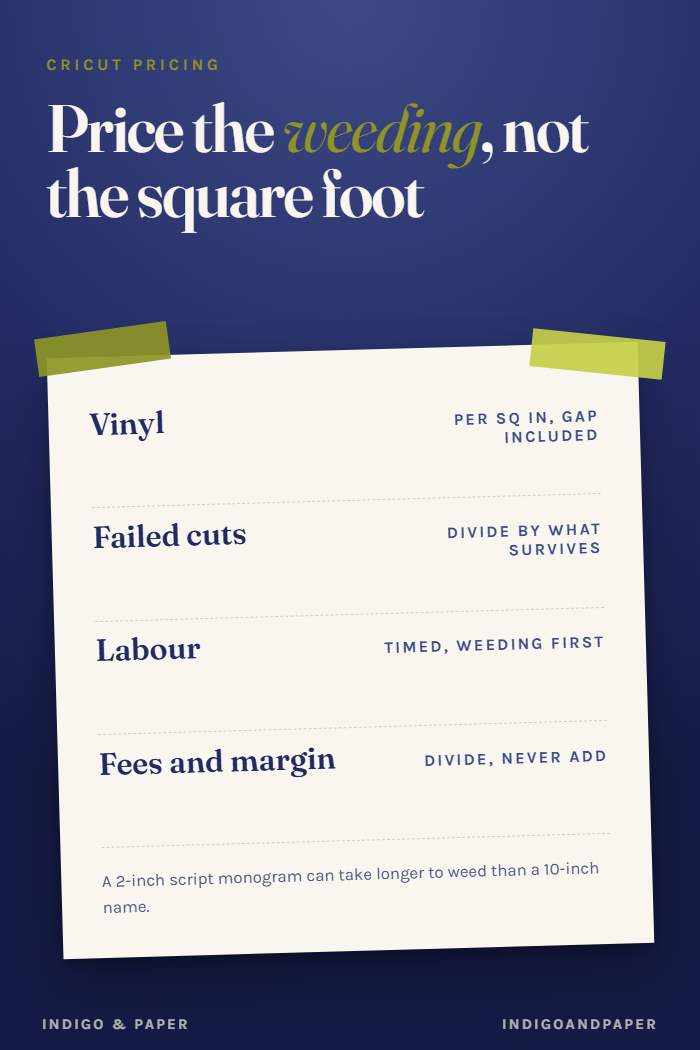
The vinyl in a decal usually costs less than the time it took to weed it. That one fact explains most underpriced decals, and it is why pricing by the square foot, which sounds tidy, quietly loses money on small, detailed work.
This is the decal-specific version of how to price what you make. The general method is the same. What changes is where the cost actually sits.
Vinyl per square inch, spacing included
Work out what one square inch of vinyl costs you, then measure the decal including the gap you leave around it on the sheet. You pay for the gap too.
An illustration with invented numbers: a roll that costs $10.00 and is 12 inches wide by 120 inches long gives 1,440 square inches, so about 0.7 cents a square inch. A 4 × 4 inch decal laid out at 4.5 × 4.5 inches uses 20.25 square inches, which is about $0.14 of vinyl.
Add the other materials the customer takes away: transfer tape cut to the same area, the backing card, the bag. In the example, call those $0.05 and $0.20. Materials come to $0.39.
Divide by the decals that actually survive
Some cuts fail. A letter lifts during weeding, a tiny counter tears, a sheet misfeeds. If one decal in ten fails, the nine you can sell carry the cost of the tenth. In the example, $0.39 becomes about $0.43 per saleable decal. For fine script and small text, the failure rate is easy to guess too low, so count it over a few real sheets.
Labour is the real price, and weeding is most of it
Time each step once, with a timer, on a real order:
- cutting and unloading
- weeding, which for script or thin lines is the longest step by far
- applying transfer tape and trimming
- packing and labelling
Design time belongs here too, spread over the number of copies you expect to sell of that design.
In the example, twelve minutes per decal at $18 an hour is $3.60. Compare that with $0.43 of materials. This is why square-foot pricing fails. A 2-inch monogram in a thin script can take longer to weed than a 10-inch block-letter name, and a per-area price charges it a fraction as much. Price by the time the design takes, and treat size as one input among several.
Overhead, then fees, then a margin you chose
Blades, mats, replacement transfer tape, software, and the machine itself wear out whether or not an order comes in. Spread them per decal. Say $0.25.
The example's cost per decal is now $0.43 + $3.60 + $0.25 = $4.28.
Marketplace and payment fees take a percentage of the price, so they cannot be added on top as a flat amount. Decide what share of each sale you want left as margin, then divide the cost by what remains after fees and margin. With an illustrative 8% in fees and a 30% margin:
$4.28 ÷ (1 − 0.08 − 0.30) = $4.28 ÷ 0.62 ≈ $6.90
That is a floor for this example, not a recommendation. Shipping, discounts and multi-decal orders change it, and your own timings will not match these.
Shirts are the same arithmetic with a different biggest cost
For heat-transfer vinyl on shirts, the blank garment usually outweighs the vinyl and often the labour, and a misprint costs you the shirt, not just the vinyl. So the failure rate matters even more. Everything else follows the same steps.
The shortcut worth avoiding
"Double the materials" gives $0.86 for the example decal, less than a quarter of its cost once labour is counted. Doubling works only when materials are most of the cost, and for decals they almost never are.
If you want the arithmetic done for you
The steps above work on paper or in any spreadsheet.
The Maker's Pricing Workbook is a spreadsheet built for exactly this order of work. Its Batch costs tab has twelve material rows, six labour rows and six overhead rows, divided by the units you can actually sell, so failed cuts come out of the cost rather than your pocket. Its Price tab takes fees, shipping, discounts and your own target margin, and a status line says when the price you chose misses that margin. It has been opened and recalculated in Microsoft Excel for Windows. Google Sheets and Excel for Mac have not been tested. It will not tell you what to charge. $6.99.